Keyboard Sizes Explanation
yxs 2025-04-17
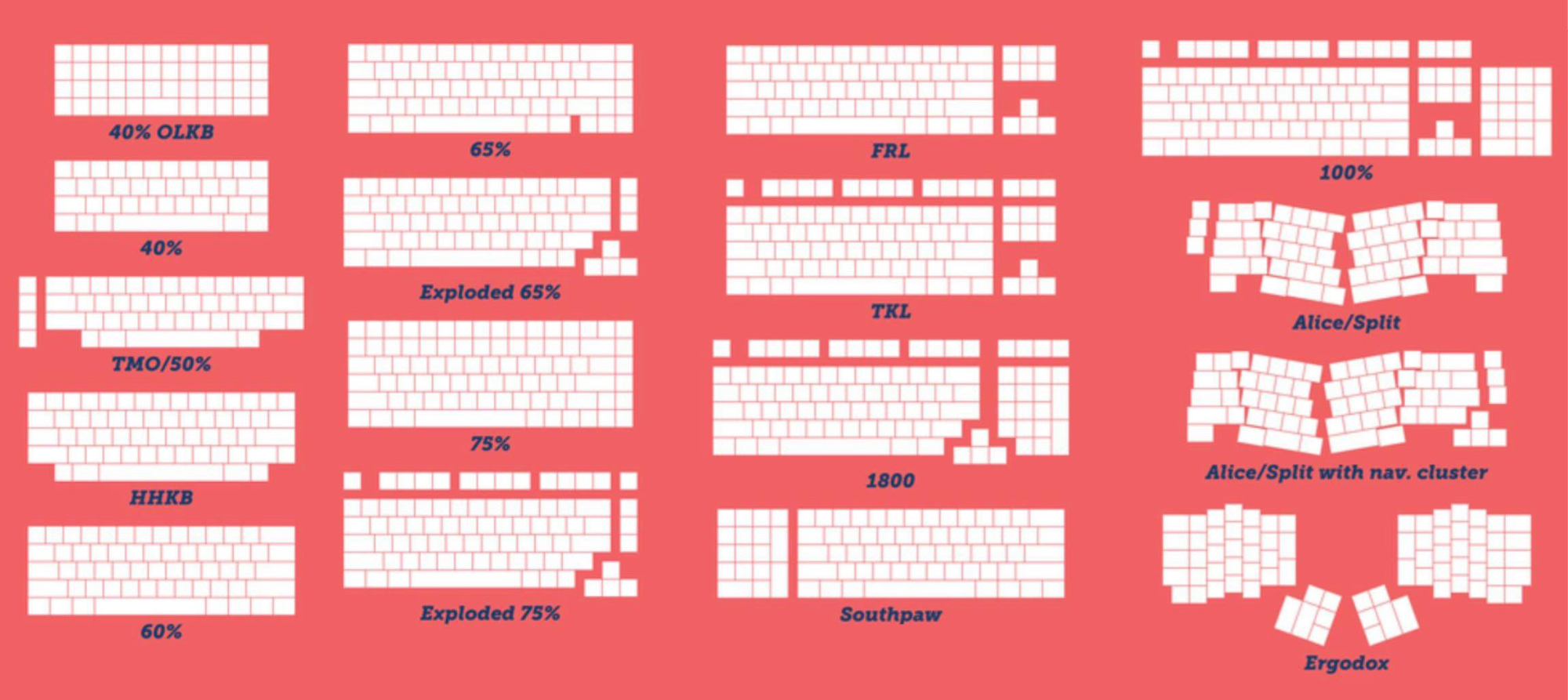
A smaller percentage means smaller keyboard as seen above:
- 100%: +numpad +arrows +fn
- TKL: −numpad +arrows +fn
- 75%: −numpad +arrows +fn
- 65%: −numpad +arrows −fn
- 60%: −numpad −arrows −fn
My daily drivers are:
- Gaming: always on 60%, which has the most mouse room. I use Wooting 60HE.
- Work/Programming: 65%. Lately I’ve been switching to 60% on lazy days.
hjklis faster than arrow keys anyway. - Aesthetics days: Exploded 65% and 75%.
TL;DR don’t blindly pick size; choose according to what’s needed.